I keep a small infrastructure: 5 VPS, MySQL and ClickHouse clusters. On them run pet-projects and small products like AskAds, VkAdsTool and ClearTranscriptBot. There are real users for whom stability matters.
Services rarely die instantly. Usually they first degrade: under load processes start getting pushed into swap, RAM Usage gradually grows by a few megabytes per hour, I/O Latency grows to indecent values because of a noisy neighbor on a shared host. But by the time the "service is down" alert comes in, the incident is already affecting users.
I use Netdata on my servers for a long time now, and more than once it helped me see the signs of degradation before it became too late. Below I'll tell how it works on my prod: install, configs, alerts, how to look at metrics from all servers in one place, and three real cases where Netdata saved me from downtime.
What I want from monitoring
From monitoring I need one thing: when at 3 a.m. something broke, to quickly understand what exactly degraded and from what moment.
For that I need metrics on:
- CPU per core, separately system / user / iowait.
- Memory pressure, swap-in / swap-out.
- Disk: throughput, IOPS, queue length, errors.
- Network: throughput, retransmits, packet drops.
- Health of services: Nginx, Postgres, MySQL, Redis, Docker, systemd units.
- Alerts: because dashboards help investigate a problem, but rarely help notice it in time.
Why Netdata specifically
Usually people use Prometheus + Grafana for such tasks. But in my infrastructure Netdata was more convenient because of a different set of trade-offs:
- Install with one command. Just run
kickstart.sh, and in a few minutes the agent already collects basic server metrics. - Low resource usage. On my servers Netdata usually fits within 50–100 MB of RAM and 1–5% CPU.
- Metrics with 1-second resolution. When metrics are aggregated at 10–30 second intervals, a short 4-second spike easily gets lost. With 1-second resolution Netdata keeps such short spikes visible.
- Automatic discovery of local services. If Nginx, Postgres, Redis, Docker or systemd are on the same machine where the Netdata agent is installed, metrics start being collected automatically after the agent restarts.
- Alerts out of the box. Basic alerts for CPU, RAM, disk, swap, load average and other typical problems are already configured. After that you just adapt the thresholds to your infrastructure.
Three incidents that started unnoticed
Three situations where a plain healthcheck would notice the problem too late — only once it's already affecting users. These are exactly the degradations Netdata's metrics help you spot earlier.
Case 1. A memory leak that was piling up for a week
Backstory. At some point I get a message from a client that the service doesn't work. Quickly SSH in, don't find the service process, look in journalctl and see the unpleasant OOM Killed. Quickly restart and go look in the code to find the problem.
Wrong assumption. Of course, I didn't want to dig in old code for long, so I just assumed that the user uploaded a very big file into the service (one that gets fully loaded into RAM), for which there wasn't enough memory. So I just put a limit on the size of uploaded file.
Did it help? Of course not! On the contrary, it made things worse: I started watching the service uptime less, assuming there definitely won't be any error now.
How it ended. After yet another crash I found a banal problem in the Python code: was appending data to an array and never clearing it. If I had been using Netdata, I would have seen the memory growth trend long before the OOM.
Case 2. Noisy neighbor on a shared disk
Preamble. A simple backend on a VPS started slowing down at random moments. No errors anywhere, neither in the logs nor in system messages.
What I saw in Netdata. Here Netdata helped almost immediately: disk.iops and disk.await shot up, but my VM was barely reading or writing anything at that time. So the problem wasn't in my service, but most likely in a neighboring VM on the same shared host that was hammering the common disk.
What helped. Support moved my VM to another host and the problem was gone. And I brought back and properly set up the I/O alerts, which I had turned off myself before.
Case 3. Gradual growth of swap usage
How it all started. One of the backends started returning random 500s. The health dashboard showed a rising response time p95, but didn't explain the cause. The first instinct was simple: restart the service and see if it repeats. But this is exactly the case when a restart would have masked the cause.
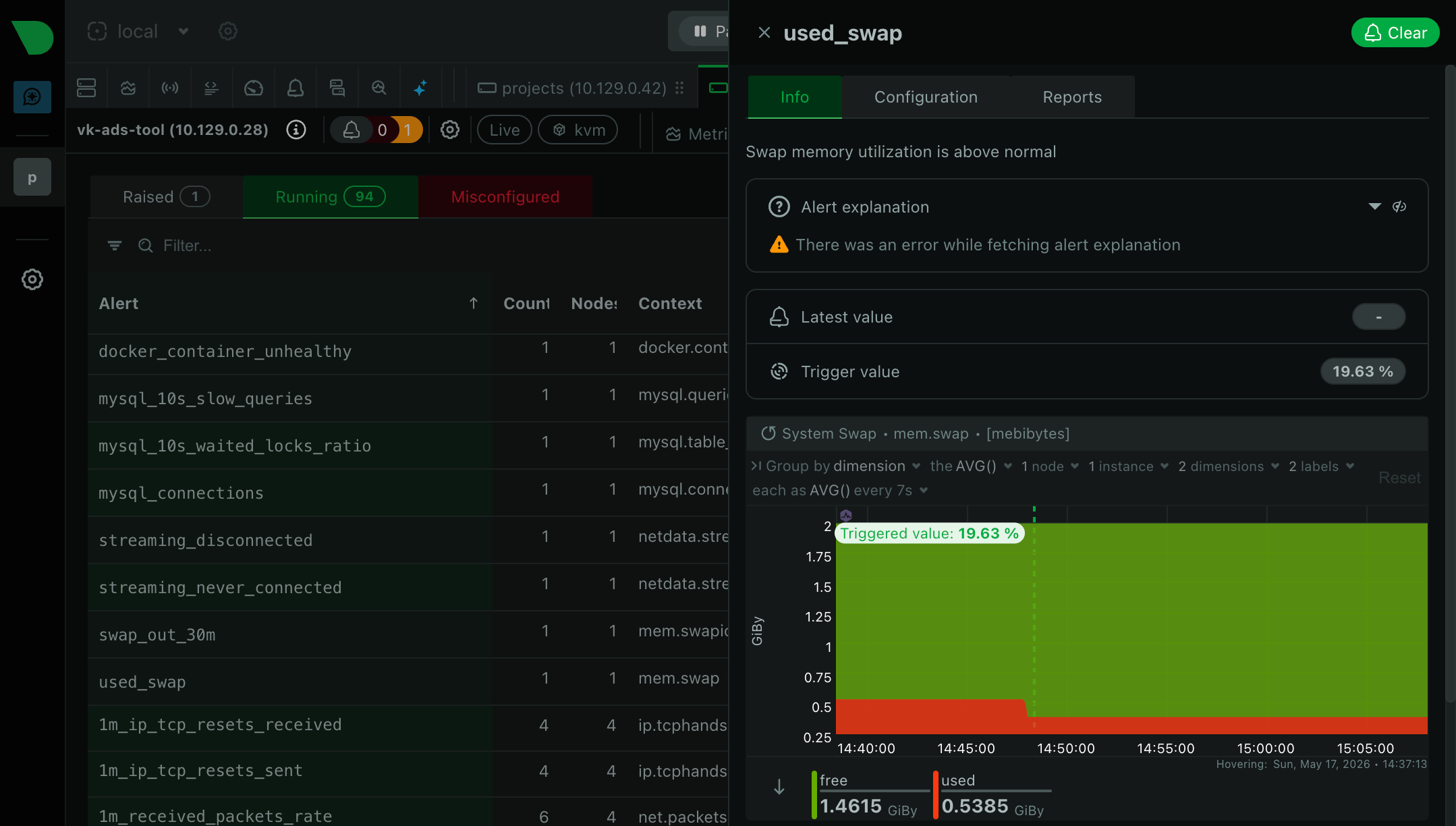
What Netdata showed. On the mem.swapio chart I saw that during the last 36 hours swap-out was gradually growing. There was almost no free memory left. CPU Usage looked normal, but actually the processor was often waiting on disk: the system was spending time not on useful work, but on constantly exchanging memory pages with swap.
Where the problem was. In a previous service config update one of the parameters was increased 5×, but there was no memory headroom left on the server. Even small additional allocations started going into swap. Rolled back the config and added two alerts: on system.ram available_percent < 15 and on mem.swapio out > 1MB/s for 5 minutes. Now such degradation is visible in advance.
Quick Netdata install without extra hassle
1. Installing the agent. The official install script will detect the distribution itself and set up Netdata to run via systemd.
# Download the script to /tmp/netdata-kickstart.sh
wget -O /tmp/netdata-kickstart.sh https://get.netdata.cloud/kickstart.sh
# Run the agent install
sh /tmp/netdata-kickstart.sh --stable-channel --disable-telemetry
2. Closing public access. By default the Netdata dashboard is deployed on port 19999 and available without login and password. If this port is open, the metrics can be viewed by anyone who knows the server's address. So Netdata stays available only locally, and I proxy external access through Nginx with basic auth.
[web]
    bind to = 127.0.0.1
Install the htpasswd utility and create a user (for example, stats):
sudo apt install apache2-utils
sudo htpasswd -c /etc/nginx/netdata.htpasswd stats
Add a new location to the Nginx config that proxies requests to the local Netdata and requires basic auth:
location /netdata/ {
    proxy_pass http://127.0.0.1:19999/;

    auth_basic "Netdata";
    auth_basic_user_file /etc/nginx/netdata.htpasswd;

    proxy_set_header Host $host;
    proxy_set_header X-Real-IP $remote_addr;
}
Reload Nginx, and the dashboard becomes available at https://your-domain/netdata/ behind login and password:
sudo systemctl reload nginx3. Setting up notifications in Telegram. For one person, Telegram is more convenient than other channels: the alert arrives instantly, you see it right on the screen, it sets up in a couple of minutes.
First we create a bot: write to @BotFather, send /newbot, come up with a name, and in the reply there will be a token like 1234567890:AAA.... The chat ID we take through @userinfobot: it's enough to send any message to it.
Next we put both values into the notifications config:
SEND_TELEGRAM="YES"
TELEGRAM_BOT_TOKEN="1234567890:AAA..."
DEFAULT_RECIPIENT_TELEGRAM="123456789"
Send a test message to make sure the alerts arrive:
sudo netdatacli reload-health
sudo -u netdata /usr/libexec/netdata/plugins.d/alarm-notify.sh test
4. Cutting the extra noise and load. By default Netdata shows a lot of metrics, but not all of them are needed every day. I recommend editing the configs a bit, so notifications don't spam the alert chat.
For example, disable what you most likely won't need:
[plugins]
    # Very greedy, only needed for deep kernel tracing
    ebpf = no
    # Low-level CPU profiling
    perf = no
    # Reads logs, extra load
    systemd-journal = no

    # Disable only if you don't use OpenTelemetry
    otel = no
    otel-signal-viewer = no
    network-viewer = no

    # Low-level kernel metrics, almost never needed
    nfacct = no
    slabinfo = no
    debugfs = no
How to look at metrics from all servers in one place
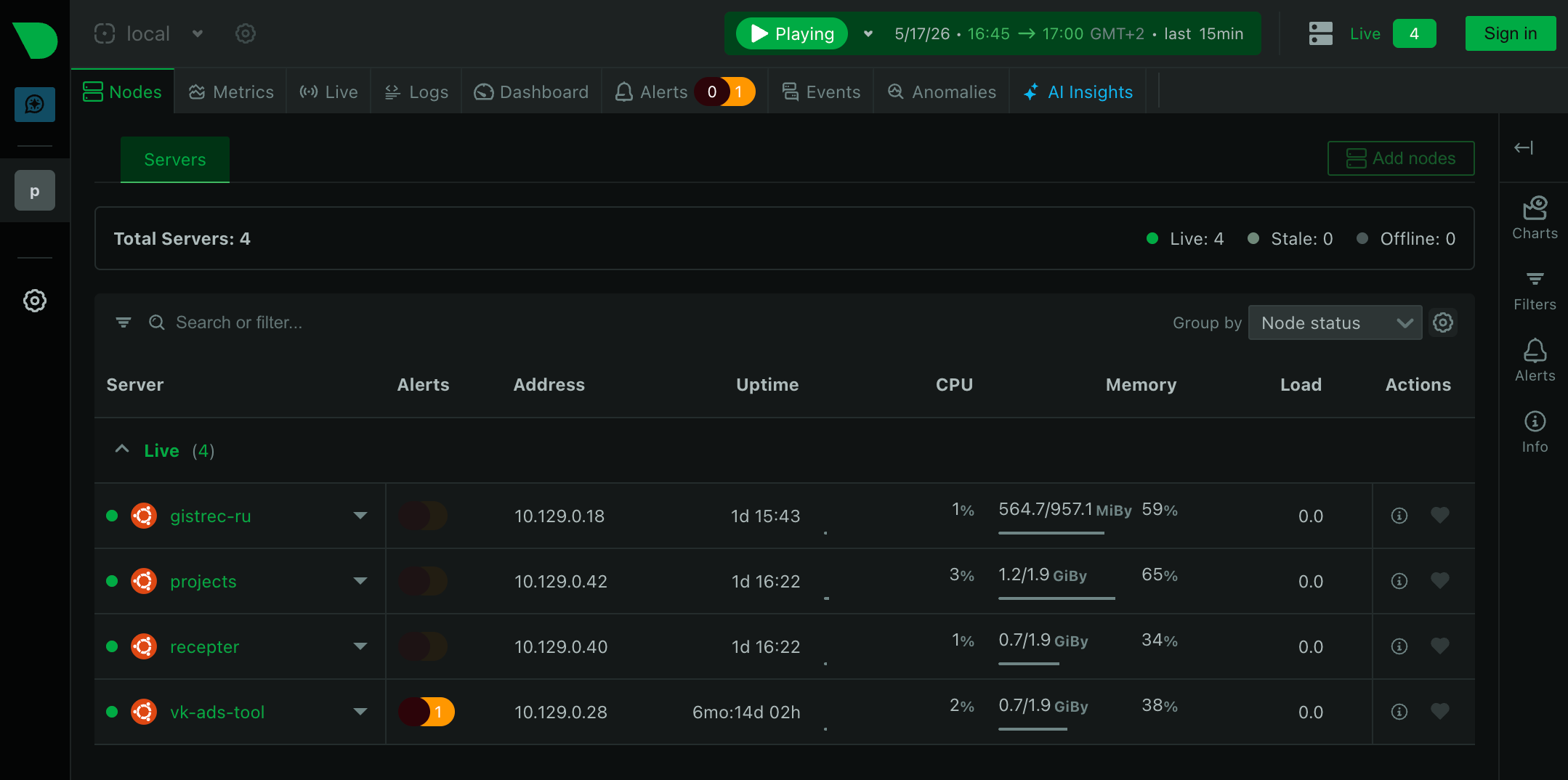
If you have several VPS, Netdata has a scheme with one parent agent and several child agents. Each child agent collects the metrics of its own server and sends them to the parent agent, which stores this data and shows the state of the whole infrastructure in one place.
                         ┌──────────────────────────┐
                         │  vps-01                  │
                         │   Netdata parent         │
                         │   alerts → Telegram      │
                         └──────────▲───────────────┘
                                    │
                    ┌───────────────┴────────────────┐
                    │                                │
                 stream                       collect metrics
                    │                                │
        ┌───────────┼───────────┐          ┌─────────┴─────────┐
        │           │           │          │                   │
   ┌────▲────┐      │      ┌────▲────┐ ┌───▼──────────┐ ┌──────▼──────────┐
   │ vps-02  │     ...     │ vps-05  │ │ MySQL        │ │ ClickHouse      │
   │  child  │             │  child  │ │ cluster      │ │ cluster         │
   └─────────┘             └─────────┘ └──────────────┘ └─────────────────┘
On the parent server, where access through Nginx with basic auth is already configured, we set up receiving metrics from child servers in /etc/netdata/stream.conf. For this you can create one shared stream with a single API key, or separate streams for each child server:
[788df748-08ef-4f6b-be56-78247dec3ac5]
    enabled = yes
    default history = 21600

[9edcf9b2-cb5b-4654-b5c0-78acacbad8cd]
    enabled = yes
    default history = 21600
default history = 21600 is the size of the local history for child metrics on the parent server (measured in entries: with update every = 1 that comes out to about 6 hours). Long-term metric storage on the parent server is configured separately in /etc/netdata/netdata.conf in the [db] section.
One UUID (which doubles as the API key) can be used for several child agents, or you can set up a separate key for each child server. The second option is more convenient if different servers need different settings: for example, different metric retention times.
On the child server you need to add the streaming settings to /etc/netdata/stream.conf (the default template lies in /usr/lib/netdata/conf.d/stream.conf: you can copy it and edit):
[stream]
    enabled = yes
    destination = stats.gistrec.cloud:19999
    api key = 788df748-08ef-4f6b-be56-78247dec3ac5
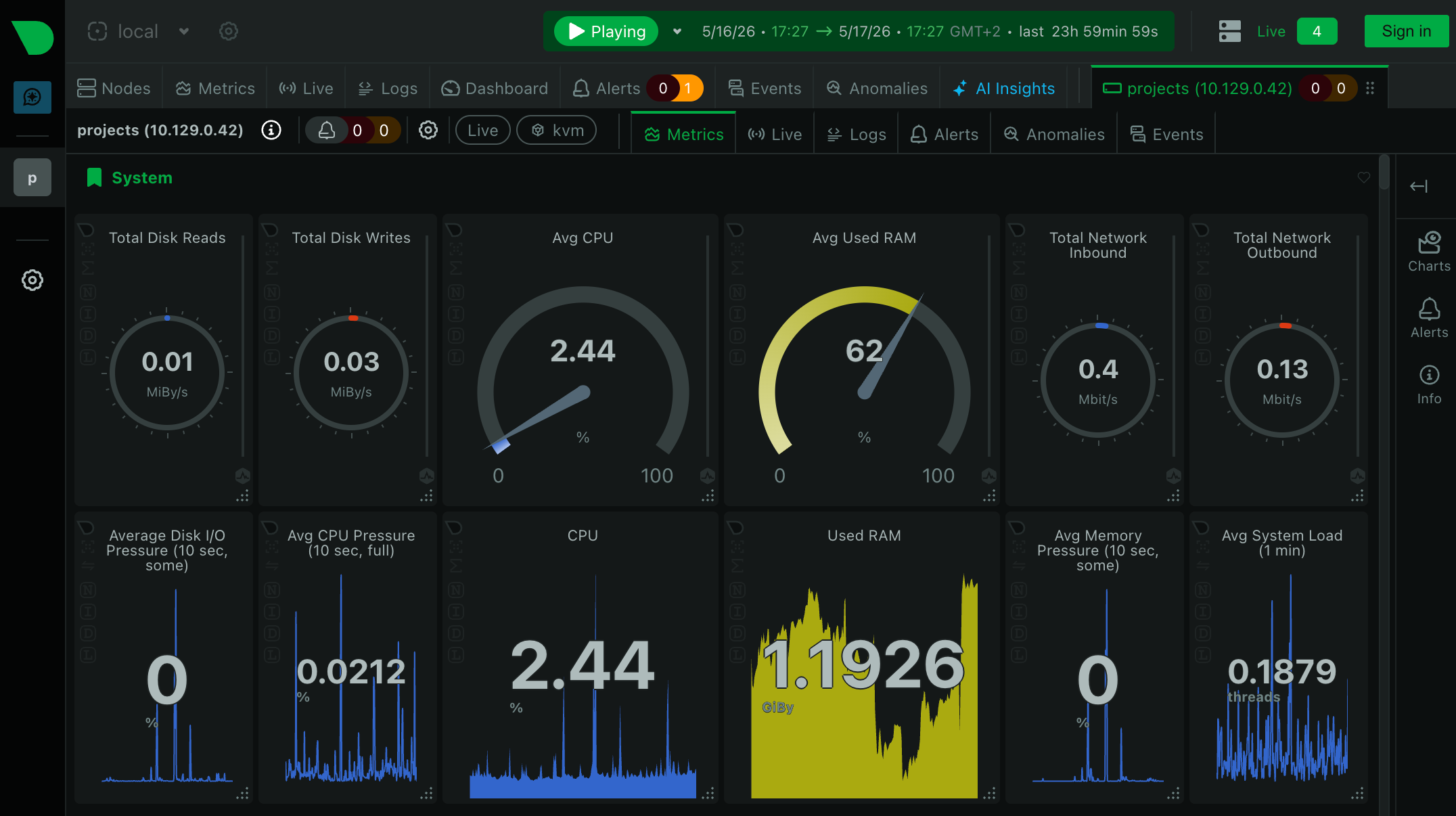
After restarting both agents the child starts streaming metrics, and they appear in the parent dashboard. I set up notifications only on the parent: this way all alerts come from one place, and the thresholds can be tuned centrally.
Collecting metrics from external services
The parent server can run collectors that connect to external managed services over the network and take metrics directly. This works great for MySQL, ClickHouse, Redis, and so on.
For example, to collect metrics from my managed ClickHouse cluster I made this collector config (specified host, port and credentials):
jobs:
  - name: clickhouse_projects
    url: https://projects.clickhouse.gistrec.cloud:8443
    username: ...
    password: ...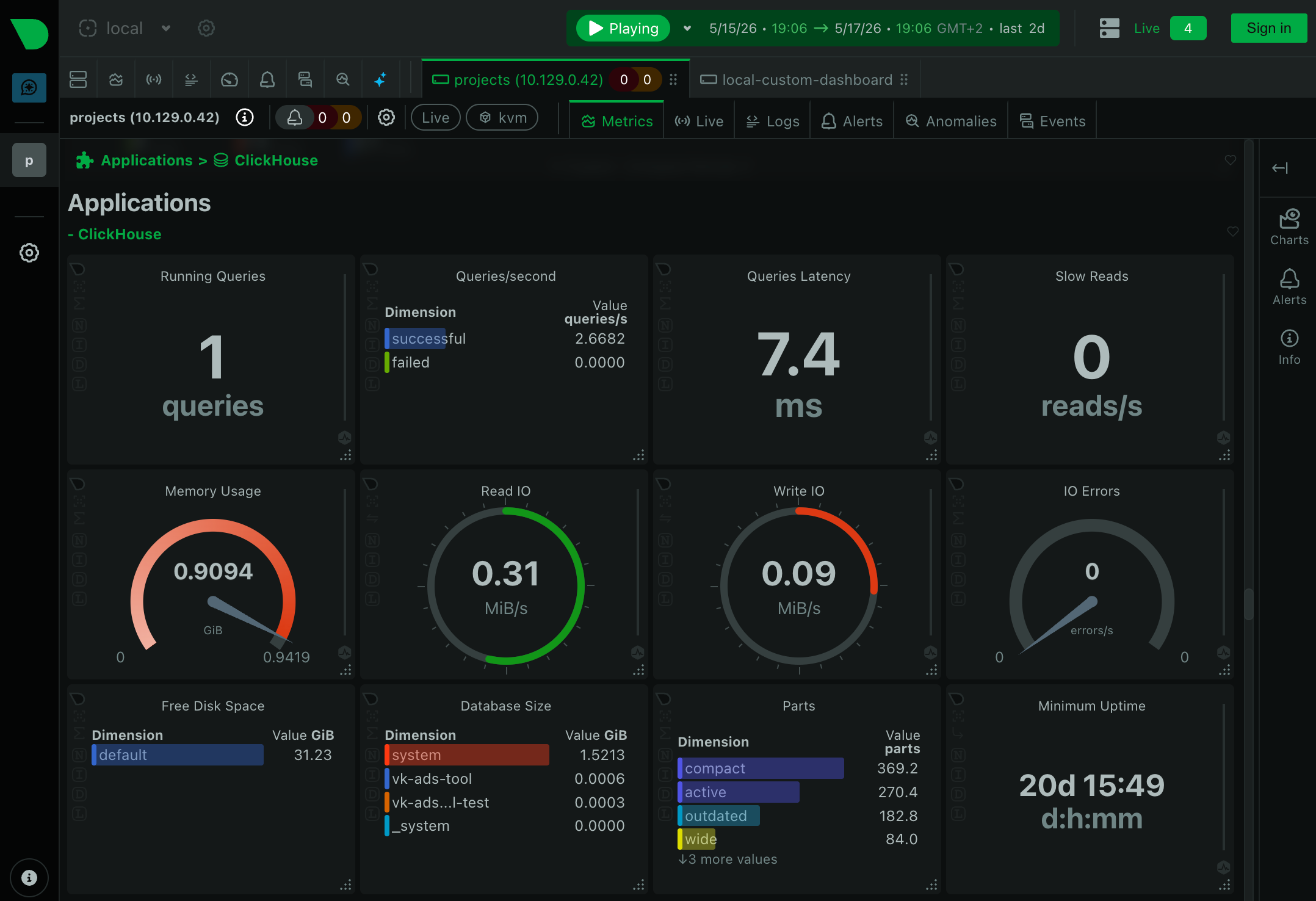
Plus Netdata can collect metrics out of the box not only from external services, but also from local ones: MySQL, PostgreSQL, Redis, ClickHouse, MongoDB, RabbitMQ, Elasticsearch, Nginx, HAProxy and dozens of others. Metrics and basic alerts: out of the box, without a separate exporter process.
Rakes you don't want to step on:
- Port
19999is open by default. All the data is available without login and password, so the port definitely shouldn't be opened outside. - Using all default alerts. By default Netdata includes many basic checks, but not all of them are equally important for a specific infrastructure. I disabled the collection of extra metrics (example in the config above) and picked the thresholds so notifications wouldn't be noisy.
- Reacting to every warning as to an incident. A warning doesn't mean something broke. But it's a signal that something might break soon. So muting warnings isn't a good idea either.
- Skipping regular dashboard reviews. Once a day it's useful to open the dashboard and quickly check the main metrics. Once a week, look at the alert history and tweak the thresholds for everything where there was a false-positive trigger.
If you have a Linux server but no clear monitoring, feel free to start using Netdata! Often already within the first ten minutes you'll see what previously stayed invisible.